
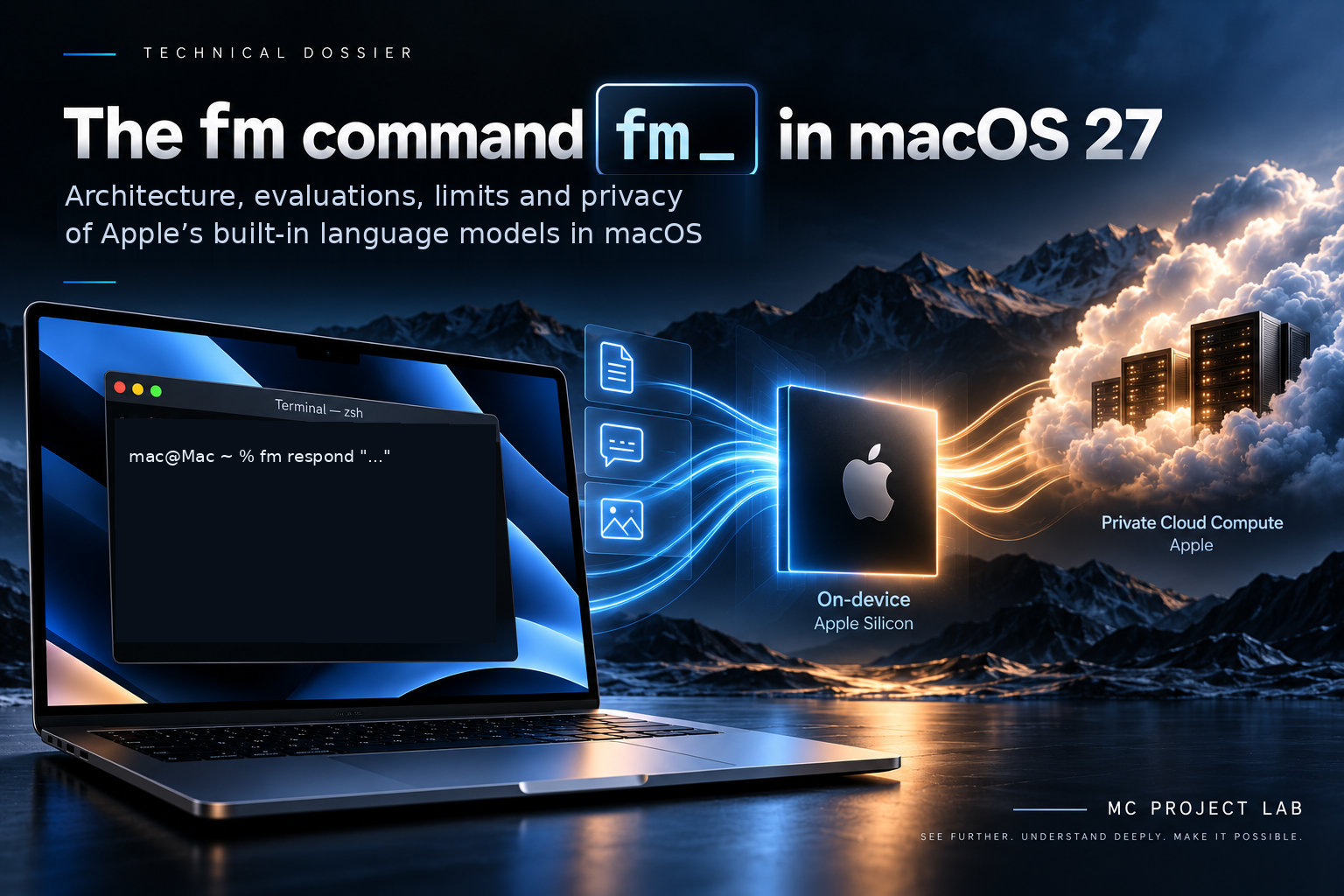
Anatomy, evaluations, limits and privacy of the Apple language models built into macOS
1. What the fm command is
fm is a command line tool that comes pre-installed with macOS 27 and can be run from Terminal (WWDC26 session 334). According to the Mac Install Guide it exists only in macOS 27, which runs only on Macs with Apple silicon, it is not present in macOS 26 or earlier versions, and it has no separate download. The binary is located at /usr/bin/fm, where the which fm command returns it, it weighs 3.2 MB and sits on the protected system volume, so it cannot be removed. The fm --version command is not supported and answers Error: Unknown option '--version'.
Using it requires no account, no API key and no per-token costs (NYU guide, Mac Install Guide). By default it uses the on-device model included in macOS, which according to Apple is always available (session 334). The Mac Install Guide adds that the model is downloaded in the background, depending on network, battery and system load, and that fm available answers System model available when the model is ready and System model unavailable: modelNotReady when it is not.
The same guide lists the reasons why macOS can report appleIntelligenceNotEnabled: an unsupported region (mainland China is excluded), different languages on the Mac and on Siri, booting from an external volume, and System Integrity Protection being disabled.
2. The AFM 3 models
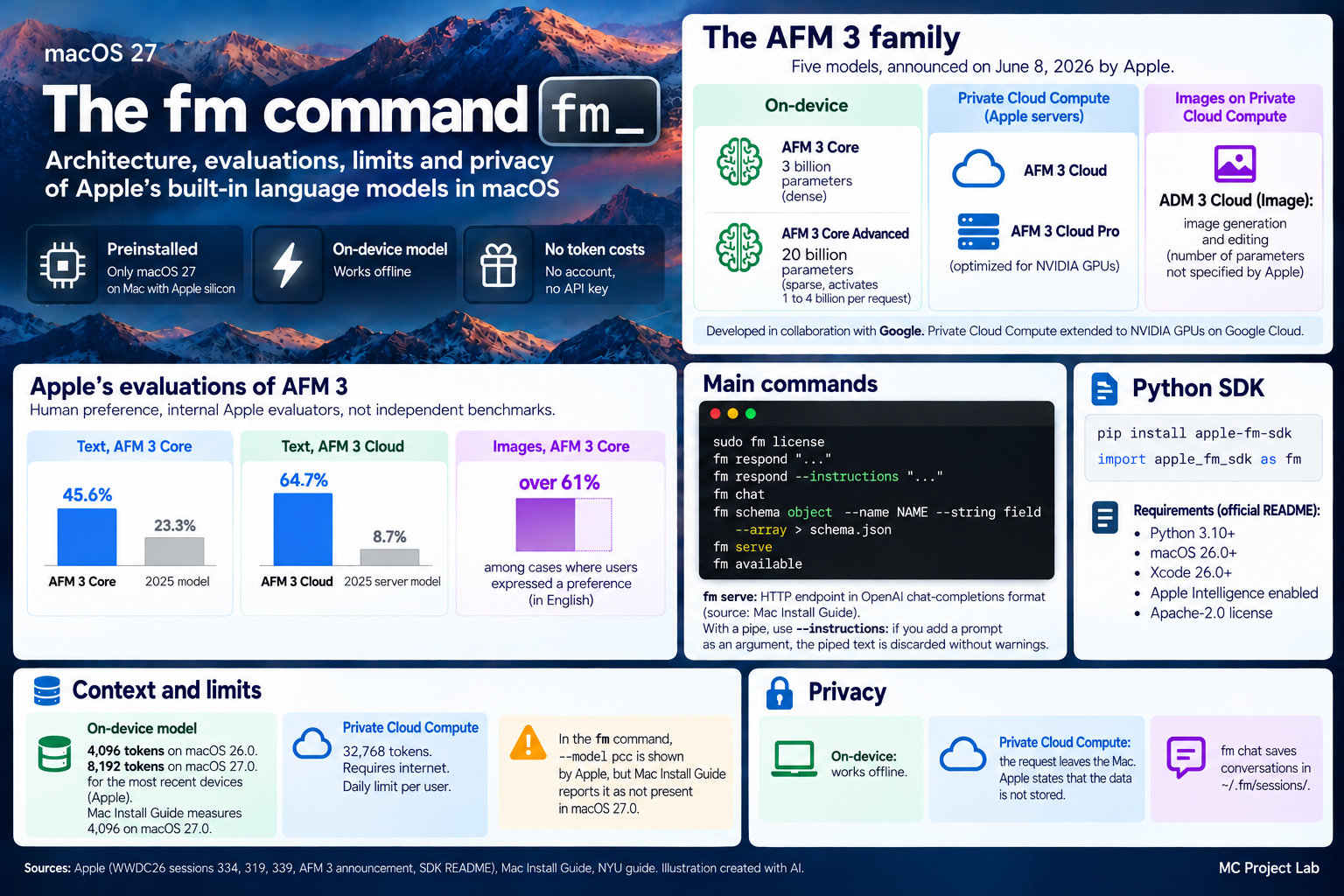
With the announcement of 8 June 2026 (Apple Machine Learning Research) Apple presents the third generation of its Foundation Models, a family of five models. Two run on the device: AFM 3 Core, a dense model with 3 billion parameters, and AFM 3 Core Advanced, a sparse model with 20 billion parameters that activates 1 to 4 billion per request. Three run on Private Cloud Compute, Apple's server infrastructure: AFM 3 Cloud, AFM 3 Cloud Pro and ADM 3 Cloud (Image), dedicated to generating and editing images, for which Apple does not state a parameter count.
Apple writes that the family is developed in collaboration with Google and that it worked with Google and NVIDIA to extend Private Cloud Compute to NVIDIA GPUs on Google Cloud. AFM 3 Cloud Pro is optimized for those GPUs. According to the NYU guide, in the sparse model the always-active part stays in DRAM while the experts reside in flash memory and are loaded when needed, and the 20 billion parameter model does not need to fit entirely in RAM.
Neither the announcement nor the Apple sessions state which model of the family is used by the fm command. The Mac Install Guide describes the system model as a model of about 3 billion parameters.
3. Commands and options
Before first use the license must be accepted with sudo fm license. Until it is accepted, the Mac Install Guide writes, the command does nothing: it returns exit code 69 and a warning on stderr. Acceptance requires administrator privileges, applies to all users of the Mac and is confirmed by typing y or yes; any other answer declines it. fm license --status shows the state, and the license is recorded in /Library/Preferences/com.apple.fm.plist. The license text binds the user to the macOS software license and restricts the programmatic use of Apple models, except where Apple permits it.
fm respond sends a prompt and returns the answer, also inside a script. By default it shows the text as it is generated. The documented options are --no-stream to save the answer to a file, --instructions to give instructions, --schema to constrain the output to a JSON schema, --image to pass an image and --model to choose the model. fm schema object builds a schema with --name, --string and --array and writes it to the output. The examples Apple shows in session 334 are these:
fm respond "Provide a basic regex in Swift to parse an email address"
fm schema object --name AppsIdentified --string app_names --array > schema.json
fm respond "What apps are the user actively using in this screenshot?" \
--image Screenshot.png --model pcc --schema schema.json
fm chat opens an interactive conversation. It accepts --instructions, --continue to resume the latest session and --resume <name> to reopen a named one; inside the conversation session 334 indicates /model to switch to Private Cloud Compute and /save to save it. The Mac Install Guide adds that conversations are saved in ~/.fm/sessions/, in files of a few kilobytes, that you exit with Control-C, and that deleting the ~/.fm folder removes them.
According to the Mac Install Guide, fm serve starts an HTTP endpoint that uses the same chat completions format as the OpenAI API, on a port or on a Unix socket. The guide specifies that it does not fetch remote URLs and that leaving it running does not keep the model loaded in memory. The sources consulted do not state the default port or socket path. fm --help lists the available commands.
4. Pipes and scripts
Text piped in works together with --instructions, for example cat notes.txt | fm respond --instructions '...', according to the Mac Install Guide. If the prompt is also passed as an argument, instead, the piped text is silently discarded: the command ends with code 0 without any warning and the model answers about a document it has never seen. The guide shows exactly this error, with an invented summary of a document that was never read, and advises scripts to check the exit code. With a schema, ls | fm respond --instructions '...' --schema schema.json produces JSON that conforms to the schema.
Session 334 proposes an example script that separates final files from drafts: it builds the schema with fm schema object, calls fm respond with --instructions and --schema, then reads the JSON with jq to copy the final files and move the drafts.
5. Context, limits and Private Cloud Compute
On the context window of the on-device model the sources do not agree. WWDC26 session 319 reports 4,096 tokens on macOS 26.0 and 8,192 tokens on macOS 27.0 for the newest devices, without saying which; the NYU guide indicates 8,192 tokens; the Mac Install Guide, testing macOS 27.0 on a MacBook Air with Apple silicon and 16 GB of memory, indicates 4,096 tokens across instructions, prompt and answer. Apple provides the actual value through SystemLanguageModel().contextSize.
According to the Mac Install Guide, which cites Apple documentation, the model should be used for summaries, extraction and classification, and not for general knowledge, code, math or logical reasoning. The guide tested it on a MacBook Air: the summary of an article and two file tags were correct, a sorting task returned 8 files out of 10 without warning, and five beginner Terminal questions did not receive fully correct answers. It also reports that the model takes up to 14 GB of storage on Macs with an M3 chip or later and that two background processes used about 450 MB of memory together at idle and 650 MB while answering.
Private Cloud Compute has different characteristics, according to session 319. It is available only on devices that support Apple Intelligence and requires an internet connection. It offers a context window of 32,768 tokens and three-level reasoning, light, moderate and deep, which counts toward the context limit. For developers there are no per-token costs: the model is available to apps with fewer than 2 million downloads, requests are counted on the user's iCloud account and each user has a daily limit, which is higher with iCloud+. The on-device model, instead, works offline and has no request limits.
On the availability of --model pcc in the command the sources contradict each other. The command is shown with --model pcc in session 334 and in the NYU guide. The Mac Install Guide instead writes that in macOS 27.0 the only accepted model is system and that pcc is not present.
6. Apple's evaluations of AFM 3
Apple reports human preference evaluations carried out by its own internal evaluators, so they are not independent benchmarks, and specifies that they reflect the models at their current stage of development (announcement of 8 June 2026). On text, AFM 3 Core was preferred on 45.6% of prompts against 23.3% for the 2025 baseline model, while AFM 3 Cloud was preferred on 64.7% against 8.7% for the 2025 server model, with an improvement that Apple describes as consistent across all language regions.
On image understanding, AFM 3 Core was preferred over the previous generation in more than 61% of the cases in which users expressed a preference, in an evaluation in English. AFM 3 Cloud was preferred on 37.8% of prompts against 9.6% for the 2025 baseline model. For AFM 3 Cloud Pro Apple gives no preference percentages but relative improvements over AFM 3 Cloud, about 10% on text and 14% on image understanding.
7. Python SDK and framework for apps
Alongside the command there is an official Python SDK (Apple repository), installed with pip install apple-fm-sdk and imported as apple_fm_sdk. It requires Python 3.10 or later, macOS 26.0 or later, Xcode 26.0 or later and Apple Intelligence enabled on a compatible Mac. The license is Apache-2.0 and the project, the README writes, does not yet accept contributions.
According to session 334 the SDK handles text and image inputs, streaming responses, guided generation (structured output) and tool calling; according to the NYU guide it mirrors the Swift API, and for Apple the APIs feel familiar to those who already know it. The Mac Install Guide notes that the command does not support tool calling, while the SDK does. A minimal example from session 334 is this:
import apple_fm_sdk as fm
session = fm.LanguageModelSession(instructions=INSTRUCTIONS)
response = await session.respond(prompt)
For apps, the Foundation Models framework supports iOS, macOS, visionOS and watchOS, and according to session 339 it is being released as open source, without stating the license. Private Cloud Compute can also be called from watchOS (session 319). The sources consulted do not list the compatible iPhone models.
8. Privacy
The sources allow these points to be distinguished. The on-device model works offline, so the commands run with that model do not require a connection (session 319). With Private Cloud Compute the request leaves the Mac: the NYU guide says so without conditions ("leaves the machine"), while Apple states that the service is designed so that user data is never stored, that the data is used only for the requests and that this has been independently verified by researchers (session 319). These are statements by Apple.
On the local disk, fm chat saves conversations in ~/.fm/sessions/, as indicated in the Mac Install Guide. For the rest, the sources consulted do not describe other forms of collection or transmission of data by the fm command.
9. Proposals for evolution
This section does not describe existing features. These are proposals by MC Project Lab, arising from the points that the sources indicate as missing.
- 1. An
fm modelscommand, or a workingfm --version, to see the command version, the available models and the state of Private Cloud Compute: today--versiondoes not exist and in 27.0 only thesystemmodel is accepted. - 2. A warning, or an error, when a pipe and a prompt passed as an argument are combined, because today the piped text is discarded without any notice.
- 3. A way to see in Terminal the use of the daily Private Cloud Compute limit, as the
quotaUsageproperty does in the Swift API (session 319). - 4. Documentation of
fm servewith default port or socket and an option to protect the local endpoint with a token. - 5. Support for tool calling in the command as well, which today is available only in the Python SDK.
Sources
- Apple, WWDC26 session 334, fm CLI and Python SDK
- Apple, WWDC26 session 319, Private Cloud Compute
- Apple, WWDC26 session 339, model providers for the framework
- Apple Machine Learning Research, third generation of Foundation Models
- Apple, Python SDK for Foundation Models
- Mac Install Guide, the fm command
- NYU RITS, Apple Foundation Models in macOS 27